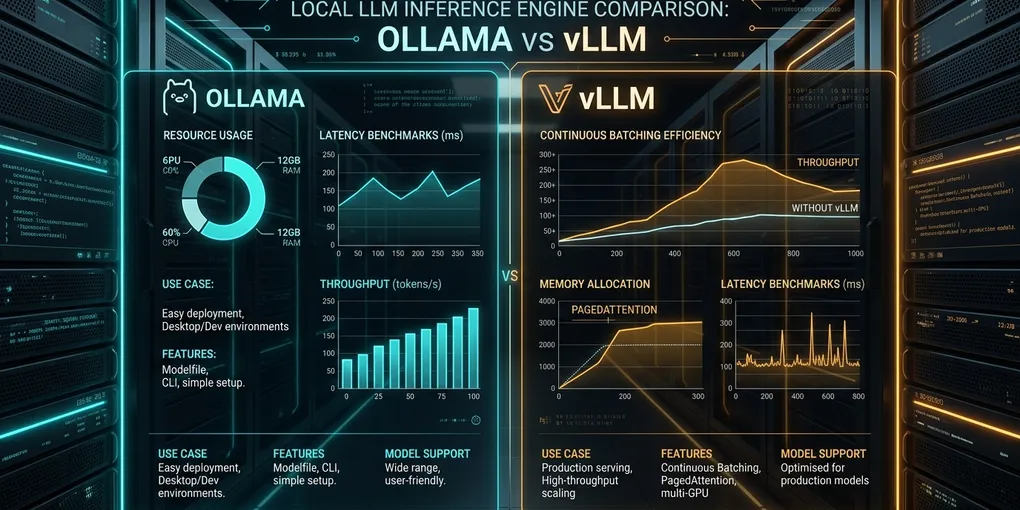
Ollama vs vLLM: Local LLM Serving Architecture, Memory Management & Concurrency Guide (2026)
An Ollama model responds immediately during interactive testing, but several coding agents connecting at once can introduce long queues. Moving the same workflow to vLLM is not automatically faster. First check the model, context length, loaded weights, concurrent requests, and GPU memory. The bottleneck may be a queue, a cache, a slow GPU or a client that waits for the complete answer before showing anything.
Ollama is a sensible local-first model runner. vLLM is designed for managed serving with batching and memory scheduling. Neither runtime wins every latency test. This is an architecture and troubleshooting comparison based on the Ollama FAQ, the vLLM serving CLI, and vLLM prefix-cache design, reviewed October 31, 2026.
Evidence boundary: This article does not contain a completed GPU benchmark. Code and workload suggestions below are instructions for measurements on your own machine. They are not results we obtained, and no hardware-performance percentage should be inferred from them.
1. Choose by the operational problem, not the number of teammates
| Question | Ollama | vLLM |
|---|---|---|
| Model management | Simple model pull, run and unload flows with GGUF-compatible local model options | Explicit model IDs, configurable serving and model-specific backend requirements |
| GPU and CPU memory | Supports GPU acceleration, CPU execution and, on appropriate backends, partial GPU offloading | Primarily configured for GPU-focused serving; offload and quantization support depend on version and hardware |
| Request concurrency | Per-model parallel capacity and request queue; limits depend on memory | Continuous batching and an engine scheduler with configurable maximum active sequences |
| KV cache | Memory demand grows with configured context and parallel requests | Paged KV allocation with optional/shared-prefix reuse when the model supports it |
| Prefix reuse | Runtime/model-specific caching; do not assume every request starts cold | Hashed block-based automatic prefix caching (APC), not SGLang’s radix tree |
| Best initial use | Personal experiments and self-contained desktop workflows | Controlled API serving that needs measured concurrency and utilization |
The difference is architectural. A claim such as “vLLM becomes mandatory above two engineers” is not evidence. A developer with a long single-request workload might benefit from vLLM batching very little. An Ollama deployment with sufficient memory and modest parallelism might serve several small agents adequately.
A practical decision requires a representative model, prompt mix and concurrent request trace. Keep the comparison fair by recording each runtime’s exact model/quantization, tokenizer, context settings and limits.
2. How Ollama queues requests and uses context memory
Ollama’s official concurrency FAQ describes two mechanisms: more than one loaded model when memory permits, and parallel requests for an individual loaded model when the available memory permits.
The documented settings include:
OLLAMA_NUM_PARALLEL: how many simultaneous requests a loaded model can process; default 1 in the documented FAQ. Parallel contexts increase memory requirements.OLLAMA_CONTEXT_LENGTH: the default context window; a request can also provide a context size through the supported API settings.OLLAMA_MAX_QUEUE: the number of requests the server will queue before declining further work.OLLAMA_KEEP_ALIVE: retention of idle loaded models; keeping large weights resident uses memory even between requests.
The rough context budgeting relationship is number of parallel contexts × configured context length. It does not mean Ollama always reserves one universally fixed contiguous GPU allocation or silently moves a fixed number of layers to CPU for every model.
Check the actual model placement:
# Inspect existing models without changing settings.
ollama ps

# Check only whether the local Ollama API responds.
curl -fsS http://127.0.0.1:11434/api/tags
The PROCESSOR field in ollama ps distinguishes fully GPU-resident, partially CPU/GPU and CPU-only placement. The exact outcome depends on the model, GPU, other loaded models and memory. Do not claim that a 4-way workload always loses 80% of throughput or spills exactly 10–15 layers. Those require measurements.
For optional KV-cache quantization, Ollama documents OLLAMA_KV_CACHE_TYPE=q8_0 when Flash Attention is enabled. It can reduce KV-cache memory relative to f16, with model- and task-dependent quality effects. Do not force it without checking your version and validating accuracy. Ollama official FAQ
3. Safe Ollama setup for local agent experiments
If Ollama runs under systemd, review the current settings before changing them:
systemctl cat ollama.service
systemctl show ollama.service --property=Environment
On a dedicated test machine, you can use a service override like this. Apply it only after reviewing ownership and any existing environment settings:
[Service]
Environment="OLLAMA_HOST=127.0.0.1:11434"
Environment="OLLAMA_NUM_PARALLEL=2"
Environment="OLLAMA_MAX_LOADED_MODELS=1"
Environment="OLLAMA_CONTEXT_LENGTH=4096"
Use sudo systemctl edit ollama.service to add or modify a drop-in, then sudo systemctl daemon-reload and sudo systemctl restart ollama.service only during an approved maintenance window. A restart interrupts current users.
Why loopback? The older version of this article bound Ollama to 0.0.0.0:11434 without an authentication boundary. That can expose a model API to other machines. If remote agents need access, put the service behind a verified access-controlled proxy, private network and firewall instead.
After any permitted settings change, verify the effective service configuration and test with a local client. If requests start queuing, check the actual model placement and available RAM/VRAM before blindly increasing parallelism. For Docker-specific connection failures, use the Ollama container connection guide.
4. vLLM: PagedAttention, continuous batching and prefix caching
vLLM’s PagedAttention paper describes a KV cache managed in blocks. This avoids requiring each entire sequence’s KV data to occupy a single contiguous allocation, and helps make memory use more flexible under dynamically changing sequence lengths. It does not establish a universal “under 4% waste” figure for every modern model or deployment.
vLLM also uses continuous batching to schedule active requests. Whether latency improves depends on prefill cost, batch size, GPU utilization, sequence length, admission limits and other load. It is not accurate to promise a new queued request begins execution on the “very next millisecond.”
Most importantly, vLLM’s automatic prefix caching uses hash-based KV blocks, rather than SGLang’s radix-tree structure. Cached prefixes save repeated prefill computation for compatible requests, but they do not make every decoding step faster. The design documentation explains prefix hashes and cache isolation.
This distinction is useful when connecting coding agents with stable system prompts and tool schemas. A timestamp near the beginning can shorten their reusable prefix, but it does not prove every later block misses for every workload. Verify actual cache hits before optimizing.
5. Run vLLM without exposing an unauthenticated public endpoint
The example below uses a small, published model to avoid implying that a 14B checkpoint with 32K context and sixteen simultaneous requests will fit on an unspecified GPU. It is a test configuration, not something executed during this editorial review.
# Run only in an isolated Python environment on an authorized compatible GPU.
# First check: vllm --version, nvidia-smi, and the upstream model card.
vllm serve Qwen/Qwen2.5-0.5B-Instruct \
  --host 127.0.0.1 \
  --port 8000 \
  --max-model-len 4096 \
  --max-num-seqs 2 \
  --gpu-memory-utilization 0.70
Check that it started successfully:
curl -fsS http://127.0.0.1:8000/v1/modelsThe model is available from the official Qwen model repository, but whether it fits depends on your GPU, serving engine, memory use and other processes. The 0.70 memory-utilization setting is just a conservative example, not a universal safe limit. The vLLM serve reference documents the current flags and defaults.
Do not bind the service to 0.0.0.0 merely to make a desktop coding client connect. First test over loopback. If remote or multi-tenant access is necessary, require identity checks, authentication and network isolation.
If GPU memory allocation fails, see the vLLM memory troubleshooting guide. A requested --gpu-memory-utilization is an engine allocation budget and does not prove that the exact same amount will be pinned as one contiguous block.
6. How to compare the two servers without pretending to have benchmark results
A fair comparison is harder than changing the base URL. Different quantization, models, context lengths and sampling settings can dominate performance differences.
Record these before testing:
| Variable | Why it must be fixed or reported |
|---|---|
| Model checkpoint and quantization | Weight size, compute kernels and response quality differ |
| GPU/CPU model placement | CPU offloading can change latency dramatically |
| Prompt and output-token limit | Long generation favors different bottlenecks than long prefill |
| Context length and concurrency | Affects KV cache pressure, admissions and queued requests |
| Warm-up and loaded model | Model loading is not the same as steady-state serving |
| Server version and request path | Ollama and vLLM have different APIs, defaults and instrumentation |
For each engine, test one warm request and then a reproducible burst of requests at concurrency 1, 2 and 4. Keep the same prompts and generation constraints, record whether any requests fail, and monitor process and GPU memory throughout.
Measure separate quantities: end-to-end request time, time-to-first-token (TTFT) for streamed responses, generated tokens per second, and queue wait time when the backend exposes it. A non-streaming curl response gives total elapsed time, not TTFT.
The following uses only standard Python to test one already-running local server at a time. It emits measured end-to-end times when the reader runs it. It does not contain fabricated results:
# save as local_request_probe.py
import concurrent.futures
import json
import os
import statistics
import time
import urllib.request

endpoint = os.environ["TEST_ENDPOINT"]  # e.g. http://127.0.0.1:8000/v1/chat/completions
model = os.environ["TEST_MODEL"]
protocol = os.environ.get("TEST_PROTOCOL", "openai")

assert endpoint.startswith(("http://127.0.0.1:", "http://localhost:")), \
    "Use a local server for this smoke test"

def query():
    messages = [{"role": "user", "content": "Explain KV cache in two sentences."}]
    payload = {"model": model, "messages": messages, "stream": False}
    if protocol == "ollama":
        payload["options"] = {"num_predict": 64}
    else:
        payload["max_tokens"] = 64
    req = urllib.request.Request(
        endpoint,
        data=json.dumps(payload).encode(),
        headers={"Content-Type": "application/json"},
        method="POST",
    )
    start = time.perf_counter()
    with urllib.request.urlopen(req, timeout=90) as response:
        data = json.load(response)
    if "error" in data:
        raise RuntimeError("Server returned an error")
    return time.perf_counter() - start

for concurrency in (1, 2, 4):
    with concurrent.futures.ThreadPoolExecutor(max_workers=concurrency) as pool:
        seconds = list(pool.map(lambda _: query(), range(8)))
    print("concurrency:", concurrency,
          "samples:", len(seconds),
          "median_total_s:", round(statistics.median(seconds), 3),
          "max_total_s:", round(max(seconds), 3))
A run of this probe measures total HTTP response latency, not TTFT or tokens per second. Eight samples are enough for a basic smoke test, not a statistically stable production p95. For serious decisions, expand the workload, use streaming first-token timestamps, report repeated trials and preserve the raw inputs and actual output logs.
Example invocation for an already configured local Ollama service:
TEST_ENDPOINT=http://127.0.0.1:11434/api/chat \
TEST_PROTOCOL=ollama \
TEST_MODEL=your-installed-ollama-model \
python3 local_request_probe.py
For an already configured local vLLM service:
TEST_ENDPOINT=http://127.0.0.1:8000/v1/chat/completions \
TEST_PROTOCOL=openai \
TEST_MODEL=Qwen/Qwen2.5-0.5B-Instruct \
python3 local_request_probe.py
Those calls can generate work on the target GPU; do not run them against a shared or production instance without authorization. A different Ollama model tag and a different vLLM model checkpoint do not constitute a controlled head-to-head benchmark.
7. Troubleshoot the actual failure, not a generic performance slogan
| Symptom | First thing to verify | Relevant reference |
|---|---|---|
| Remote tool cannot reach Ollama | Is the service bound to loopback, and is a private proxy required? | Ollama Docker networking |
| Ollama slows after adding agents | OLLAMA_NUM_PARALLEL, context length, queue state, ollama ps placement |
Ollama FAQ |
| vLLM refuses startup because of memory | Model size, length, maximum sequences, GPU budget | vLLM CUDA OOM troubleshooting |
| Repeated agent prompts do not get caching benefit | Actual identical token prefix, model/cache settings, eviction | vLLM APC |
| Shared model latency still high | Input size, queue time, GPU use, streaming implementation | vLLM serving CLI |
For one engineer using many small models locally, Ollama may have the lower operational cost. For a shared dedicated GPU service, vLLM’s scheduling and cache management are valuable, but only measured throughput, acceptable tail latency and operational complexity determine the better fit. Neither should be treated as a universal winner.
Primary references and editorial change log
- Ollama FAQ: context, concurrency, queueing, keep-alive and offloading
- Ollama repository and project source
- vLLM serving CLI: memory, batching and concurrency options
- vLLM automatic prefix caching
- vLLM hash-based KV cache design and security considerations
- PagedAttention paper
- Qwen2.5 0.5B official model card
Updated October 31, 2026: removed invented memory fragmentation and speed-loss percentages, an unsupported two-engineer threshold, the incorrect vLLM radix-tree claim, a broken prefix-caching link and unsecured public bind examples. Added testable local configurations and a documented end-to-end request-latency probe. The original publication date remains September 18, 2026; no GPU benchmark was run for this editorial review.