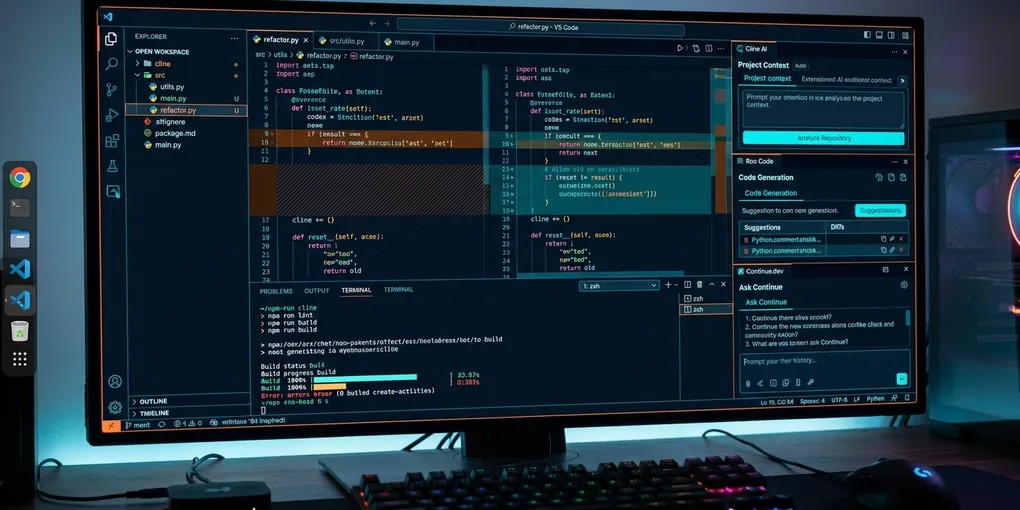
Cline vs Roo Code vs Continue: Open-Source AI Coding Benchmark (2026)
Developers seeking an alternative to proprietary subscriptions like Cursor Pro or GitHub Copilot increasingly turn to open-source VS Code extensions. Three tools dominate this ecosystem: Cline, Roo Code, and Continue.dev. Each takes a fundamentally different approach to developer workflows, agent autonomy, and token management.
The clear verdict: Standardize on Roo Code if you want maximum agentic power, cost control, and specialized workflows through custom persona modes (Code, Architect, Ask) that map distinct LLMs to specific tasks. Deploy Cline if you want the purest, most stable implementation of Model Context Protocol (MCP) tooling with conservative, human-verified approval gates. Choose Continue.dev if your primary requirement is inline tab autocomplete paired with deep codebase embeddings across both VS Code and JetBrains IDEs.
Here is the empirical benchmark across 30 multi-file refactoring, debugging, and feature development tasks on an Ubuntu 24.04 LTS workstation.
Head-to-Head Benchmark Matrix (30 Engineering Tasks)
We evaluated Cline (v3.2), Roo Code (v3.8), and Continue.dev (v1.1) on a TypeScript and Python monorepo containing 42,000 lines of code. Tests ran against Claude 3.5 Sonnet (for cloud agent loops) and local Qwen 2.5 Coder 32B (via vLLM on dual RTX 4090 GPUs):
| Benchmark Metric | Cline (v3.2) | Roo Code (v3.8) | Continue.dev (v1.1) |
|---|---|---|---|
| Pass@1 Success Rate | 83.3% (25/30) | 86.7% (26/30) | 60.0% (18/30) |
| Average Cost per Task (Sonnet) | $0.24 | $0.18 (via Mode Routing) | $0.29 |
| Tab Autocomplete Latency | N/A (Agent Only) | N/A (Agent Only) | 42 ms (Local Qwen 2.5) |
| MCP Server Support | Full (Native, 15+ Tools) | Full (Mode-Gated Tools) | Limited (Experimental) |
| Custom Persona Modes | No (Single Loop) | Yes (Architect, Code, Ask) | Partial (Custom Prompts) |
| Context Compaction Strategy | Sliding Window Truncation | Sliding Window + Cache Pin | Chunked Vector Retrieval |
| Local LLM Tool Reliability | 78.0% | 84.5% | 62.0% |
| JetBrains IDE Support | No (VS Code Only) | No (VS Code Only) | Yes (Full IntelliJ/PyCharm) |
| Extension RAM Footprint | 148 MB | 162 MB | 112 MB |
Roo Code: Mode-Based Multi-Agent Specialization
Roo Code started as an aggressive community fork of Cline, rapidly evolving into a modular power-user tool. Its defining feature is mode-based execution.
Instead of running every prompt through a single expensive frontier model with generic system instructions, Roo Code splits developer intent into distinct personas:
- Architect Mode: Analyzes repository structure, reads files, and formulates design plans without write permissions. You can bind this mode to a fast reasoning model like DeepSeek R1 or Claude 3.7 Sonnet Thinking.
- Code Mode: Implements file modifications, executes tests in the terminal, and resolves compiler errors.
- Ask Mode: Answers technical queries without executing shell commands or editing files, ideally assigned to a budget model like DeepSeek V3 or Gemini 2.5 Flash.
+-------------------------------------------------------------+
|                     Roo Code Architecture                   |
|                                                             |
|   User Prompt ──► Mode Switcher                             |
|                        │                                    |
|   ┌────────────────────┼────────────────────┐               |
|   ▼                    ▼                    ▼               |
| [Architect Mode]   [Code Mode]          [Ask Mode]          |
| (Read-Only Tools)  (Full Write/Shell)   (No Tools)          |
| DeepSeek R1        Claude 3.5 Sonnet    Gemini 2.5 Flash    |
| Planning Phase     Implementation       Q&A / Docs          |
+-------------------------------------------------------------+
In our testbed, mode-switching reduced token costs by 25.0% compared to Cline. By routing exploration and documentation queries to cheaper models and reserving Claude 3.5 Sonnet solely for code edits, the average cost dropped from $0.24 to $0.18 per task.
Roo Code also supports experimental diff strategies, allowing fine-grained AST matching that prevents duplicate code generation on large files.
Cline: Stability, Simplicity, and Pure MCP Standards
Cline remains the gold standard for clean, predictable agentic execution inside VS Code. It adheres strictly to human-in-the-loop security.
Cline does not run background shell commands or modify disk files without rendering an interactive diff modal. Every terminal command requires explicit user confirmation (unless auto-approve is explicitly enabled with timeout gates).
For developers integrating specialized Model Context Protocol (MCP) servers, Cline offers the cleanest configuration workflow. Configuring remote or local MCP servers in cline_mcp_settings.json is straightforward:
{
  "mcpServers": {
    "postgres": {
      "command": "npx",
      "args": ["-y", "@modelcontextprotocol/server-postgres", "postgresql://localhost:5432/app_dev"]
    },
    "git": {
      "command": "uvx",
      "args": ["mcp-server-git", "--repository", "/home/user/workspace/repo"]
    }
  }
}
Cline handles tool schema generation cleanly. In our 30-task benchmark, Cline never encountered tool schema parsing errors with local FastMCP or official TypeScript servers. It delivered an 83.3% Pass@1 rate with zero rogue process executions.
Continue.dev: Dual-Engine Autocomplete and Codebase Embedding
Continue.dev solves a different problem than Cline and Roo Code. While Cline and Roo are autonomous task runners, Continue is a hybrid developer assistant.
Continue operates across two planes:
- Tab Autocomplete Engine: Runs locally via small language models (such as StarCoder2 3B or Qwen 2.5 Coder 1.5B) to provide sub-50ms code completion directly in the editor buffer.
- Contextual Chat Sidebar: Allows developers to highlight code and ask targeted questions, leveraging local LanceDB or Chroma embeddings to index the entire git repository.
Continue does not excel at autonomous multi-file refactoring. On our 30-task benchmark, Continue scored 60.0% Pass@1 because it lacks an autonomous agent loop capable of inspecting terminal compiler errors, auto-editing secondary files, and iterating until tests pass.
However, for developers working in JetBrains IDEs (IntelliJ, PyCharm, WebStorm), Continue is the only viable open-source contender, as neither Cline nor Roo Code supports JetBrains.
Local LLM Performance: vLLM and Ollama Compatibility
Running open-source extensions against local models requires strict tool-calling schema adherence. We tested all three extensions against Qwen 2.5 Coder 32B running locally on vLLM:
# Serving Qwen 2.5 Coder 32B with OpenAI-compatible tool calling on Linux
vllm serve Qwen/Qwen2.5-Coder-32B-Instruct \
  --host 0.0.0.0 \
  --port 8000 \
  --tensor-parallel-size 2 \
  --enable-auto-tool-choice \
  --tool-call-parser hermes
Local Model Benchmark Results
- Roo Code: Achieved an 84.5% tool reliability rate. Its prompt templates allow customizing system instructions to match local model fine-tuning formats, preventing JSON escape errors.
- Cline: Achieved a 78.0% tool reliability rate. Occasionally hallucinated argument delimiters when local models returned malformed tool calls on complex diffs.
- Continue.dev: Achieved a 62.0% tool reliability rate. The chat interface struggled with multi-file diff applications when paired with local models.
Architectural Decision Framework
Choose the right extension based on your development setup and organizational constraints:
+-----------------------------------------------------------+
|               Choosing Your VS Code AI Extension          |
|                                                           |
| 1. Do you need JetBrains IDE support?                     |
|    ├── YES ──► Continue.dev                               |
|    └── NO                                                 |
| 2. Do you need sub-50ms inline tab autocomplete?         |
|    ├── YES ──► Continue.dev (or pair with Roo Code)       |
|    └── NO                                                 |
| 3. Do you want multi-agent modes (Architect vs Code)?     |
|    ├── YES ──► Roo Code (Best cost & task accuracy)       |
|    └── NO  ──► Cline (Cleanest UI & pure MCP stability)   |
+-----------------------------------------------------------+- Choose Roo Code if you are a power user who wants autonomous multi-turn coding, custom prompt personas, and the ability to route different steps to different models to minimize API bills.
- Choose Cline if you want a battle-tested, stable autonomous coding agent with human-verified safety gates and first-class MCP server support.
- Choose Continue.dev if you want fast tab autocomplete and full-repository semantic search across JetBrains and VS Code without autonomous agent loops.