Cursor Agent vs Claude Code vs Windsurf Cascade: Multi-File Refactoring Architecture (2026)
[!NOTE] Scope & Methodology: This guide provides an architectural and specification comparison synthesized from official documentation, product architecture notes, and developer guides for Claude Code, Cursor Agent, and Windsurf Cascade. It examines discovery mechanisms, patch application strategies, and execution models without claiming empirical laboratory benchmark measurements.
Why Multi-File Dependency Refactoring Breaks IDE Assistants
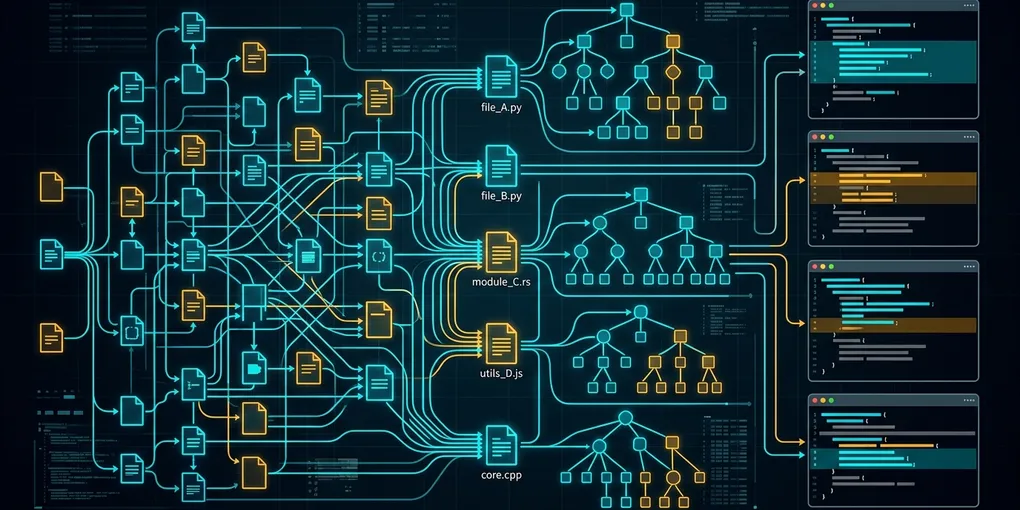
Rename a core shared trait across twelve Rust modules or migrate a 40-file FastAPI codebase from Pydantic v1 to v2, and most AI coding assistants fall apart halfway through. Single-file autocomplete is a solved problem. Multi-file refactoring is where context window compaction, stale vector indices, and broken circular imports expose the architectural limits of your tool.
Here is the blunt engineering verdict on how Claude Code, Cursor Agent, and Windsurf Cascade handle deep repository changes:
- Use Claude Code for large-scale, test-driven multi-file migrations. Because it operates directly inside your terminal shell with ripgrep and native compiler feedback loops (
cargo check,pytest), it does not rely on potentially stale IDE embedding caches. - Use Cursor Agent for interactive feature development where visual inline diff review and fast speculative edit application matter most.
- Use Windsurf Cascade when working inside strictly governed workspace rules where automatic context flow tracking between open editor tabs keeps smaller edits aligned.
| Architectural Dimension | Claude Code CLI | Cursor Agent | Windsurf Cascade |
|---|---|---|---|
| Runtime Environment | Native Terminal CLI (Node.js / Shell) | VS Code Fork + Shadow Workspace | VS Code Fork + Cascade Flow Engine |
| Codebase Discovery Mechanism | Live agentic search (ripgrep, find, AST grep) |
Merkle tree sync + remote vector embeddings | Local AST parsing + real-time user action tracking |
| Patch Application Model | Direct file search-and-replace / filesystem write | Speculative decoding Fast Apply model | Streaming diff blocks via extension host |
| Compiler Verification Loop | Direct stdout/stderr pipe in active shell | Integrated terminal runner + linter diagnostics | IDE Problems tab + integrated terminal execution |
| Billing & Token Structure | Direct API token billing (with Anthropic Prompt Caching) | Subscription quota ($20/mo Pro) + usage-based fast requests | Subscription credits ($15/mo Pro) + flow action credits |
| Subprocess Isolation | Host user permissions with interactive approval prompts | Optional command allowlists / sandboxed terminal | Interactive command approval gates |
1. Claude Code: Terminal Autonomy and Prompt Caching
Claude Code skips the GUI altogether. It runs as an interactive CLI process directly inside your project directory, executing shell commands, grepping source trees, and piping compiler errors back into the model context.
[ Terminal Shell ] ──> [ Ripgrep / Glob Search ] ──> [ Targeted File Reads ]
        ▲                                                      │
        └─────── [ Native Test Runner: cargo test ] <──────────┘
How It Handles Deep Refactors
In large-scale refactoring tasks (such as migrating shared library dependencies across an entire codebase), there is a key operational difference between vector search and live shell search. Vector embeddings often miss indirect module re-exports in __init__.py. A terminal-native agent like Claude Code executes rg "from pydantic import validator" directly across the workspace to construct an exact target list, edits the files, and verifies changes via pytest.
Cost Mechanics & Anthropic Prompt Caching
Because terminal agents read full files and long stack traces, raw input token counts climb quickly. Claude Code mitigates this through Anthropic Prompt Caching. Static system instructions, CLAUDE.md project conventions, and prior conversation turns are cached at the prefix level, where cached input reads cost 90% less than standard input tokens.
Operational Pitfalls
- Unconstrained Shell Scope: If you launch Claude Code with
--dangerously-skip-permissionsoutside a container, a confused recovery loop can modify.gitignoreor install unrequested packages. Always run unattended CLI refactors inside a disposable Linux container or Bubblewrap sandbox.
2. Cursor Agent: Merkle Tree Indexing and Speculative Fast Apply
Cursor Agent integrates tightly into a customized VS Code workbench. Instead of grepping from scratch on every turn, Cursor maintains a synchronized index of your repository using Merkle file trees.
[ Merkle File Tree ] ──> [ Semantic Index Lookup ] ──> [ Speculative Fast Apply ]
                                                               │
[ Inline Diff Review ] <───────────────────────────────────────┘
Architectural Strengths
- Speculative Fast Apply: Standard LLMs are slow at rewriting entire 1,000-line files just to change three functions. Cursor separates planning from file rewriting: the frontier model emits a compact edit sketch, and a specialized speculative decoding model merges those changes into the buffer at high token throughput.
- Shadow Workspaces: Cursor can validate generated code against language server protocol (LSP) diagnostics in a background shadow window before interrupting your active editor view.
Failure Modes on Large Repositories
- Context Compaction Drops: When a refactoring task spans more than 15 to 20 files, IDE agents aggressively summarize or truncate earlier file reads to stay within internal context budgets. That causes dropped trait bounds or mismatched function signatures in distant modules.
3. Windsurf Cascade: Context Flow and Workspace Rules
Windsurf Cascade combines an autonomous agent loop with continuous tracking of developer actions inside the editor. If you rename a symbol in the editor and immediately prompt Cascade, its flow tracker already includes that recent diff in its working memory without requiring manual @file tags.
Strengths
- Implicit Context Awareness: Tracks terminal command history, clipboard actions, and cursor movements automatically.
- Granular
.windsurfrulesEnforcement: Project-level rule files keep the agent aligned with repository architecture patterns.
Failure Modes
- Circular Import Loops: During multi-tier Python package restructurings, flow-based editors sometimes patch files sequentially without verifying the global import graph first. That triggers
ImportError: cannot import namecycles that require manual intervention.
4. Concrete Walkthrough: Pydantic v1 to v2 Validator Migration
To see how terminal-first execution differs from IDE buffer patching, consider migrating a legacy cross-module validator in a Python microservice using Pydantic v2 migration standards:
# Legacy Pydantic v1 (models/user.py)
from pydantic import BaseModel, validator

class UserCreate(BaseModel):
    username: str

    @validator("username", pre=True)
    def normalize_username(cls, v):
        if not isinstance(v, str):
            raise ValueError("Must be a string")
        return v.strip().lower()
Migrating this cleanly to Pydantic v2 requires updating both the decorator signature and every downstream test expecting v1 ValidationError dictionaries:
# Target Pydantic v2 (models/user.py)
from pydantic import BaseModel, field_validator

class UserCreate(BaseModel):
    username: str

    @field_validator("username", mode="before")
    @classmethod
    def normalize_username(cls, v: str) -> str:
        if not isinstance(v, str):
            raise ValueError("Must be a string")
        return v.strip().lower()
You can automate this verification loop deterministically in Claude Code using a project CLAUDE.md file at your repository root:
# CLAUDE.md - Repository Refactoring Rules
- Validation check: `pytest -q --tb=short`
- Type check: `mypy src/`
- Never use deprecated Pydantic v1 `@validator` or `.dict()` methods.
- Always use `@field_validator(..., mode="before")` with `@classmethod` and `.model_dump()`.
And invoke the headless verification pass directly from bash:
# Run a non-interactive refactoring check via Claude Code CLI
claude -p "Migrate all Pydantic v1 validators in src/models/ to Pydantic v2 field_validator syntax and run pytest to verify." \
  --allowedTools "Edit,Bash(pytest:*),Bash(rg:*)"
5. Architecture Selection Guide
Match your tool to the structural demands of the task:
| Engineering Scenario | Recommended Tool | Core Architectural Reason |
|---|---|---|
| Repo-Wide Compiler / AST Migrations | Claude Code | Unfiltered access to ripgrep, full compiler traces, and bash loops |
| Interactive Feature & UI Iteration | Cursor Agent | Fast speculative diff application and visual hunk-by-hunk review |
| Collaborative Pair Programming | Windsurf Cascade | Real-time tracking of manual editor edits alongside agent actions |
| Headless CI/CD Automated Fixes | Claude Code | Scriptable CLI flags (-p, --allowedTools) for Linux pipelines |
Use Cursor or Windsurf when you want your hands on the steering wheel inside an editor. Drop into Claude Code when you have a solid test suite and want an autonomous loop to grind through compiler errors across dozens of files.