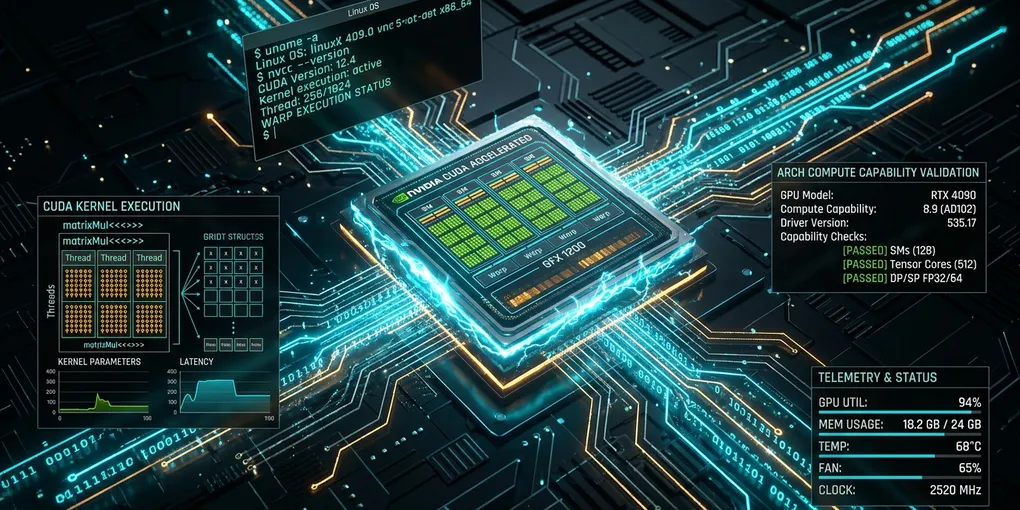
How to Fix 'RuntimeError: CUDA error: no kernel image is available for execution on the device' in PyTorch on Linux
To resolve RuntimeError: CUDA error: no kernel image is available for execution on the device immediately, your installed PyTorch binary or compiled C++ extension lacks machine code (SASS) for your physical GPU compute capability. Run this command to identify the mismatch:
That stalls the pipeline. Execution halts immediately.
python3 -c "import torch; print(f'GPU Compute Capability: {torch.cuda.get_device_capability()}\\nSupported Archs: {torch.cuda.get_arch_list()}')"If your GPU compute capability (such as (8, 9) for an RTX 4090) does not appear in Supported Archs, reinstall PyTorch using the current CUDA 12.4 wheels or compile your custom extension with explicit architecture flags:
# 1. For pre-built PyTorch wheels (reinstall matching CUDA 12.4)
pip install --force-reinstall torch torchvision torchaudio --index-url https://download.pytorch.org/whl/cu124

# 2. For custom C++/CUDA extensions (FlashAttention, BitsAndBytes, vLLM ops)
export TORCH_CUDA_ARCH_LIST="8.0;8.6;8.9;9.0+PTX"
pip install --no-build-isolation --force-reinstall flash-attn
Why This Error Occurs
NVIDIA CUDA code compiles in two stages:
- PTX (Parallel Thread Execution): A hardware-independent intermediate assembly.
- SASS (Streaming Assembler): Binary machine code targeted to a specific GPU microarchitecture (such as
sm_80for Ampere orsm_89for Ada Lovelace).
When you run a CUDA operation in PyTorch, the driver searches the compiled binary for native SASS matching your GPU compute capability. If native SASS is missing, the driver attempts to Just-In-Time (JIT) compile embedded PTX assembly. If neither native SASS nor compatible PTX exists in the binary, the driver halts execution with CUDA_ERROR_NO_BINARY_FOR_GPU (CUDA Error 209), which PyTorch reports as RuntimeError: CUDA error: no kernel image is available for execution on the device.
+-----------------------------------------------------------------------------------+
|               CUDA BINARY DISPATCH FAILURE ARCHITECTURE                          |
+-----------------------------------------------------------------------------------+
| 1. PyTorch / Custom Extension Binary                                              |
|    Contains SASS: [sm_70, sm_75, sm_80, sm_86] (Compiled for older chips)       |
|    Embedded PTX: None or incompatible with driver JIT                             |
+-----------------------------------------------------------------------------------+
                                    |
                                    v (Dispatches kernel to hardware)
+-----------------------------------------------------------------------------------+
| 2. Physical GPU Hardware                                                          |
|    Hardware: NVIDIA GeForce RTX 4090 / L40S (Compute Capability 8.9 / sm_89)      |
+-----------------------------------------------------------------------------------+
                                    |
                                    v (Hardware MMU fails to find sm_89 code)
+-----------------------------------------------------------------------------------+
| 3. CUDA Driver Error 209: CUDA_ERROR_NO_BINARY_FOR_GPU                            |
|    RuntimeError: CUDA error: no kernel image is available for execution          |
+-----------------------------------------------------------------------------------+
GPU Architecture and Compute Capability Reference
Use the following table to identify your exact compute capability and required TORCH_CUDA_ARCH_LIST values before compiling extensions or selecting PyTorch wheels.
| Architecture Name | Compute Capability | Example GPUs | TORCH_CUDA_ARCH_LIST Flag |
Minimum CUDA Version |
|---|---|---|---|---|
| Volta | sm_70 |
Titan V, V100 16GB/32GB | "7.0" |
CUDA 10.0+ |
| Turing | sm_75 |
T4, RTX 2080 Ti, Titan RTX | "7.5" |
CUDA 10.0+ |
| Ampere (Data Center) | sm_80 |
A100 40GB/80GB, A30 | "8.0" |
CUDA 11.0+ |
| Ampere (Consumer) | sm_86 |
RTX 3090, RTX 3080, A10, A6000 | "8.6" |
CUDA 11.1+ |
| Ada Lovelace | sm_89 |
RTX 4090, RTX 4080, L40, L40S, L4 | "8.9" |
CUDA 11.8+ (CUDA 12.x recommended) |
| Hopper | sm_90 / sm_90a |
H100 80GB, H800, H200 | "9.0" or "9.0a" |
CUDA 12.0+ |
| Blackwell | sm_100 / sm_120 |
B200, GB200, RTX 5090 | "10.0" or "12.0" |
CUDA 12.6+ / CUDA 12.8+ |
Four Step-by-Step Resolution Protocols
Step 1: Diagnose Active Hardware vs Wheel Architectures
Run this diagnostic script on your Linux machine to inspect what your installed PyTorch wheel actually supports:
python3 - << 'EOF'
import torch

print(f"PyTorch Version: {torch.__version__}")
print(f"PyTorch Built with CUDA: {torch.version.cuda}")
print(f"CUDA Available: {torch.cuda.is_available()}")

if torch.cuda.is_available():
    device_id = torch.cuda.current_device()
    device_name = torch.cuda.get_device_name(device_id)
    capability = torch.cuda.get_device_capability(device_id)
    cap_str = f"sm_{capability[0]}{capability[1]}"
    arch_list = torch.cuda.get_arch_list()

    print(f"Device [{device_id}]: {device_name}")
    print(f"Hardware Compute Capability: {cap_str}")
    print(f"PyTorch Supported Architectures: {arch_list}")

    if cap_str in arch_list or f"{capability[0]}.{capability[1]}" in arch_list:
        print("[STATUS] Compatible: Native SASS is present in this PyTorch wheel.")
    else:
        print(f"[STATUS] MISMATCH: {cap_str} is NOT supported by this wheel!")
EOF
If the status reports MISMATCH, proceed to Step 2.
Step 2: Reinstall PyTorch with Native Modern Architecture Support
Older package indexes or default pip install torch commands can inadvertently install legacy wheels built without Ada Lovelace (sm_89) or Hopper (sm_90) binaries.
Uninstall the mismatched wheel and install the official CUDA 12.4 build:
# Clean existing PyTorch packages
pip uninstall -y torch torchvision torchaudio

# Install official PyTorch wheels with CUDA 12.4 support
pip install torch torchvision torchaudio --index-url https://download.pytorch.org/whl/cu124
Verify that the reinstalled wheel includes your GPU architecture:
python3 -c "import torch; print(torch.cuda.get_arch_list())"
# Output should include: ['sm_50', 'sm_60', 'sm_70', 'sm_75', 'sm_80', 'sm_86', 'sm_89', 'sm_90']
Step 3: Fix Custom Extension Builds (FlashAttention, BitsAndBytes, vLLM)
When compiling custom CUDA extensions (pip install flash-attn, bitsandbytes, auto-gptq), the setup script checks the currently active GPU. However, build isolation (PEP 517) or building inside Docker often prevents setup scripts from querying the physical GPU.
As a result, setup scripts fall back to compiling only for base architectures (sm_70;sm_75), leaving out sm_89 or sm_90.
To force compilation for your specific GPU architecture, set TORCH_CUDA_ARCH_LIST explicitly and disable build isolation:
# 1. Define explicit target architectures including PTX forward compatibility
export TORCH_CUDA_ARCH_LIST="8.0;8.6;8.9;9.0+PTX"

# 2. Set maximum parallel compile jobs to speed up C++ compilation
export MAX_JOBS=$(nproc)

# 3. Clean any cached failed wheel builds
pip cache purge

# 4. Rebuild the extension with --no-build-isolation
pip install --no-build-isolation --force-reinstall flash-attn
Adding +PTX to the highest architecture ensures that future GPU generations can JIT compile the code without failing.
Step 4: Fix Missing GPU Access in Docker Container Builds
A common pitfall occurs when building Docker images. During docker build, the NVIDIA container runtime is not active by default. Running python setup.py install inside a Dockerfile cannot query torch.cuda.get_device_capability(), causing the compiler to emit kernels for generic fallback targets.
Fix this in your Dockerfile by setting environment variables before installing CUDA packages:
FROM nvidia/cuda:12.4.1-devel-ubuntu22.04

# Prevent interactive prompts
ENV DEBIAN_FRONTEND=noninteractive

# Specify target architectures explicitly for Docker build stages
ENV TORCH_CUDA_ARCH_LIST="8.0;8.6;8.9;9.0+PTX"
ENV FORCE_CUDA="1"
ENV MAX_JOBS=8

# Install dependencies and build extension
RUN pip install --no-cache-dir torch --index-url https://download.pytorch.org/whl/cu124 && \
    pip install --no-cache-dir --no-build-isolation flash-attn
Verification Test Script
Run this lightweight verification script on your Linux machine to confirm that your GPU can execute CUDA kernels without throwing architecture errors:
import torch

def verify_cuda_kernel_execution():
    if not torch.cuda.is_available():
        raise SystemError("CUDA is not available on this system.")

    device = torch.device("cuda:0")
    print(f"Testing on device: {torch.cuda.get_device_name(device)}")

    # 1. Allocate tensors on CUDA device
    x = torch.randn(4096, 4096, device=device, dtype=torch.float16)
    y = torch.randn(4096, 4096, device=device, dtype=torch.float16)

    # 2. Execute cuBLAS matrix multiplication kernel
    z = torch.matmul(x, y)
    torch.cuda.synchronize()

    # 3. Verify output integrity
    assert z.shape == (4096, 4096), "Shape mismatch in output tensor."
    print("[SUCCESS] Kernel executed cleanly. Native SASS binary is verified!")

if __name__ == "__main__":
    verify_cuda_kernel_execution()
If the script outputs [SUCCESS] Kernel executed cleanly, your PyTorch installation and CUDA driver are in full binary alignment.
Official Documentation & Primary References
- PyTorch Official CUDA Semantics Documentation: Memory management, device ordinals, asynchronous execution, and stream synchronization.
- PyTorch Autograd Mechanics: Computational graph lifecycle, in-place operation checks, and backward pass execution.
- PyTorch Distributed (c10d / DDP) Documentation: NCCL backend initialization, watchdog timeouts, and gradient reduction hooks.
- NVIDIA CUDA Toolkit & Driver Documentation: Official compute capability tables, cuBLAS/cuDNN status codes, and NVML driver management.