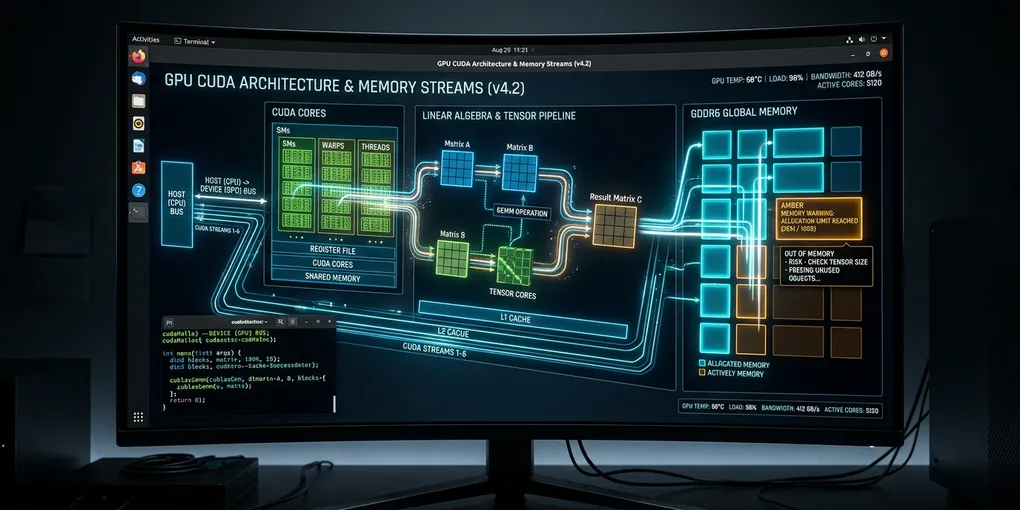
How to Fix 'RuntimeError: CUDA error: CUBLAS_STATUS_ALLOC_FAILED when calling cublasCreate(handle)' in PyTorch on Linux
To resolve RuntimeError: CUDA error: CUBLAS_STATUS_ALLOC_FAILED when calling cublasCreate(handle) immediately, kill orphaned GPU processes holding CUDA contexts and enable PyTorch expandable memory segments:
That stalls the pipeline. Execution halts immediately.
# 1. Terminate orphaned processes holding GPU hardware handles
sudo fuser -v /dev/nvidia* -k || true

# 2. Configure PyTorch memory allocator to eliminate virtual address fragmentation
export PYTORCH_CUDA_ALLOC_CONF="expandable_segments:True,max_split_size_mb:128"

# 3. If running inside Docker, ensure host IPC or increased shared memory
docker run --gpus all --ipc=host --shm-size=16g ...
In your Python code, clear existing cached allocations and explicitly initialize CUDA before fork-based multiprocessing:
import torch

if torch.cuda.is_available():
    torch.cuda.empty_cache()
    # Force early cuBLAS handle creation on device 0 to surface context errors immediately
    torch.cuda.init()
Why This Error Occurs: cuBLAS Context vs VRAM Exhaustion
The error CUBLAS_STATUS_ALLOC_FAILED does not mean the NVIDIA Basic Linear Algebra Subprograms (cuBLAS) library is corrupted. It occurs when PyTorch requests a hardware context handle via cublasCreate_v2(&handle), but the CUDA driver fails to allocate the internal workspace memory buffer (typically 16 MB to 64 MB of contiguous device memory) required to initialize the cuBLAS state machine.
This failure stems from three distinct root causes on Linux:
- Undetected Zombie VRAM Allocation: A previous training job, Jupyter kernel, or vLLM instance crashed without releasing GPU memory. While
nvidia-smimight show high utilization without listing PIDs under Compute Processes, the underlying/dev/nvidia*device nodes remain locked. - Virtual Address Space Fragmentation: PyTorch pre-allocates large memory blocks via its caching allocator (
cudaMalloc). When a linear algebra operation (such astorch.matmul,nn.Linear, or attention projection) triggerscublasCreate(), the GPU may have physical VRAM left, but lacks a contiguous virtual address block for the cuBLAS workspace. - Container IPC and Shared Memory Depletion: Docker containers default to 64 MB of shared memory (
/dev/shm). When PyTorch DataLoader workers or CUDA IPC mechanisms attempt inter-process tensor transfers, memory allocation primitives fail silently, causing subsequent cuBLAS initialization calls to abort withALLOC_FAILED.
| Trigger Scenario | Symptoms in Logs | Primary Fix |
|---|---|---|
| Orphaned CUDA Processes | nvidia-smi shows memory consumed, empty PID table |
fuser -v /dev/nvidia* -k |
| Allocator Address Fragmentation | Crash occurs after several training iterations | PYTORCH_CUDA_ALLOC_CONF="expandable_segments:True" |
| Docker /dev/shm Exhaustion | Crash occurs when num_workers > 0 |
--ipc=host --shm-size=16g |
| Linux ulimit Lock Limits | cudaErrorMemoryAllocation in system journal |
ulimit -l unlimited |
| CUDA Driver Version Mismatch | Crash occurs immediately on torch.cuda.init() |
Match pip torch wheel with system CUDA driver |
Step-by-Step Resolution
Step 1: Detect and Purge Hidden GPU Processes
Check for processes holding GPU file descriptors that do not appear in the standard nvidia-smi compute table:
# Query active processes on all NVIDIA character device nodes
sudo fuser -v /dev/nvidia*
If zombie PIDs appear in the output, terminate them immediately:
# Force-kill all processes attached to NVIDIA devices
sudo fuser -v /dev/nvidia* -k

# Verify the GPU memory returns to 0 MiB baseline
nvidia-smi --query-gpu=memory.used,memory.total --format=csv,noheader,nounits
Step 2: Configure PyTorch Memory Allocator Flags
PyTorch 2.0 and later provides the expandable_segments allocator flag. This feature uses virtual memory management APIs (cuMemCreate and cuMemMap) to allocate physical memory pages without requiring large contiguous virtual address ranges.
Add these environment variables to your shell environment or application launcher script:
# Add to ~/.bashrc or container startup script
export PYTORCH_CUDA_ALLOC_CONF="expandable_segments:True,max_split_size_mb:128"
export CUDA_MODULE_LOADING="LAZY"
Apply the changes:
source ~/.bashrcStep 3: Fix Docker and Container IPC Permissions
If your training workload runs inside Docker, Kubernetes, or Apptainer, the default /dev/shm size of 64 MB causes CUDA IPC failures that manifest as cuBLAS allocation errors.
Always pass --ipc=host or configure explicit shared memory sizes:
# Launch Docker with host IPC and expanded shared memory
docker run --gpus all \
  --ipc=host \
  --shm-size=16g \
  --ulimit memlock=-1:-1 \
  --ulimit stack=67108864 \
  -it my-pytorch-image:latest
In Kubernetes Pod specifications, mount an emptyDir backed by memory for /dev/shm:
spec:
  containers:
  - name: pytorch-worker
    image: my-pytorch-image:latest
    volumeMounts:
    - mountPath: /dev/shm
      name: dshm
    resources:
      limits:
        nvidia.com/gpu: 1
  volumes:
  - name: dshm
    emptyDir:
      medium: Memory
      sizeLimit: 16Gi
Step 4: Handle Multiprocessing Start Methods in Python
When using Python’s multiprocessing library with CUDA, the default fork start method copies the parent process’s memory space without duplicating CUDA driver contexts. This corrupts the cuBLAS internal state and triggers CUBLAS_STATUS_ALLOC_FAILED.
Enforce spawn at the very beginning of your entrypoint script:
import torch
import torch.multiprocessing as mp

if __name__ == "__main__":
    # Must be set before any torch.cuda operations
    mp.set_start_method("spawn", force=True)

    device = torch.device("cuda:0" if torch.cuda.is_available() else "cpu")

    # Test cuBLAS initialization cleanly
    a = torch.randn(512, 512, device=device)
    b = torch.randn(512, 512, device=device)
    c = torch.matmul(a, b)
    print(f"cuBLAS initialized successfully. Matrix shape: {c.shape}")
Step 5: Check Linux System Locked Memory Limits
CUDA pinned memory requires high operating system limits for locked memory (memlock). If systemd or PAM restricts locked memory, cuBLAS cannot pin pages for high-speed DMA transfers.
Inspect your current limits:
ulimit -lIf the command returns a small number (such as 64 or 16384), increase the limits in /etc/security/limits.conf:
sudo tee -a /etc/security/limits.conf << 'EOF'
* soft memlock unlimited
* hard memlock unlimited
EOF
Restart your terminal session to apply the new system limits.
Verification Checklist
Run this standalone diagnostic script to verify that cuBLAS handle allocation and high-throughput matrix multiplications execute without errors:
python3 -c "
import torch

print(f'PyTorch Version: {torch.__version__}')
print(f'CUDA Available: {torch.cuda.is_available()}')

if torch.cuda.is_available():
    device = torch.cuda.current_device()
    props = torch.cuda.get_device_properties(device)
    print(f'Active Device: {props.name} (Compute {props.major}.{props.minor})')
    print(f'Free VRAM: {torch.cuda.mem_get_info()[0] / (1024**3):.2f} GB')

    # Stress test cuBLAS allocation across 5 matrix multiplications
    for i in range(5):
        x = torch.randn(2048, 2048, device='cuda', dtype=torch.float16)
        y = torch.matmul(x, x)
        torch.cuda.synchronize()
        print(f'Iteration {i+1}: cuBLAS MatMul OK')

    print('VERIFICATION PASSED: cuBLAS handle created and functional.')
"
If all 5 iterations report cuBLAS MatMul OK followed by VERIFICATION PASSED, your Linux environment is clean and ready for production workloads.
Official Documentation & Primary References
- PyTorch Official CUDA Semantics Documentation: Memory management, device ordinals, asynchronous execution, and stream synchronization.
- PyTorch Autograd Mechanics: Computational graph lifecycle, in-place operation checks, and backward pass execution.
- PyTorch Distributed (c10d / DDP) Documentation: NCCL backend initialization, watchdog timeouts, and gradient reduction hooks.
- NVIDIA CUDA Toolkit & Driver Documentation: Official compute capability tables, cuBLAS/cuDNN status codes, and NVML driver management.