How to Fix 'ValueError: Bfloat16 is only supported on GPUs with compute capability of at least 8.0' on Linux
If vLLM, SGLang, or Hugging Face Transformers crashes on an NVIDIA T4, RTX 2080 Ti, or Tesla V100 with ValueError: Bfloat16 is only supported on GPUs with compute capability of at least 8.0, force the runtime to cast weights to standard IEEE 754 half-precision (float16) instead of Brain Floating Point (bfloat16):
That stalls the pipeline. Execution halts immediately.
# For vLLM inference server on Turing (SM 7.5) or Volta (SM 7.0)
vllm serve meta-llama/Llama-3.1-8B-Instruct \
  --dtype float16 \
  --gpu-memory-utilization 0.90 \
  --max-model-len 4096
In Python Hugging Face scripts, explicitly declare torch_dtype=torch.float16 inside from_pretrained():
import torch
from transformers import AutoModelForCausalLM, AutoTokenizer

model_id = "meta-llama/Llama-3.1-8B-Instruct"

# Force FP16 casting to prevent PyTorch from attempting BF16 operations
model = AutoModelForCausalLM.from_pretrained(
    model_id,
    torch_dtype=torch.float16,
    device_map="auto"
)
Why This Error Occurs: Hardware Compute Capability Limits
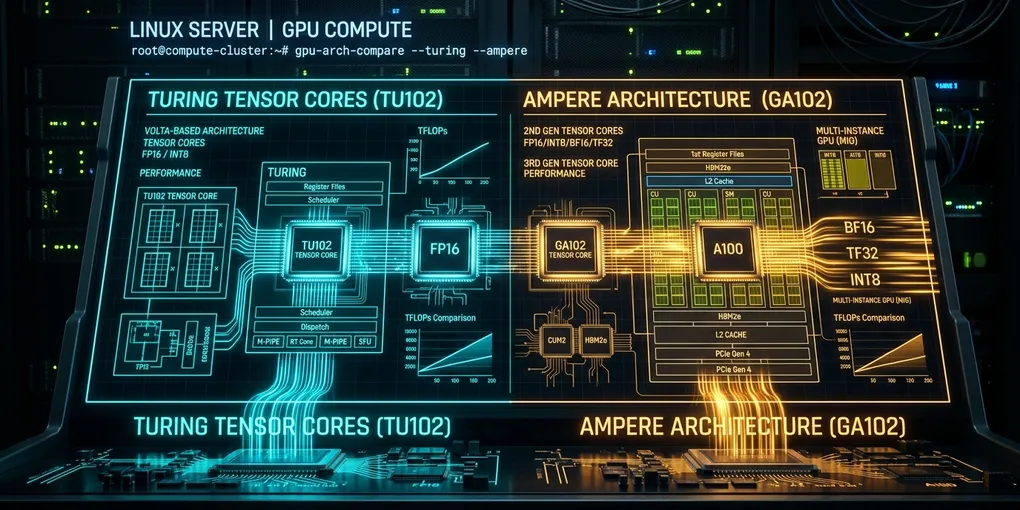
NVIDIA GPUs implement microarchitectures mapped to numeric compute capability levels. Brain Floating Point 16 (bfloat16 or BF16) requires hardware-level 8-bit exponent and 7-bit mantissa Tensor Core units that NVIDIA only introduced in the Ampere microarchitecture (Compute Capability 8.0).
Older architectures do not have physical BF16 instruction decoders in their silicon:
| GPU Family | Architecture | Compute Capability | Native BF16 Tensor Cores | Native FP16 Tensor Cores |
|---|---|---|---|---|
| Pascal (GTX 1080 Ti, P100) | SM 6.0 / 6.1 | 6.0 - 6.1 | No (Emulated / Unsupported) | Software / Emulated |
| Volta (Tesla V100, Titan V) | SM 7.0 | 7.0 | No | Yes (1st Gen Tensor Cores) |
| Turing (T4, RTX 2080 Ti, Titan RTX) | SM 7.5 | 7.5 | No | Yes (2nd Gen Tensor Cores) |
| Ampere (A100, RTX 3090, A10G) | SM 8.0 / 8.6 | 8.0 - 8.6 | Yes | Yes (3rd Gen Tensor Cores) |
| Ada Lovelace (RTX 4090, L4, L40) | SM 8.9 | 8.9 | Yes | Yes (4th Gen Tensor Cores) |
| Hopper / Blackwell (H100, B200) | SM 9.0 / 10.0 | 9.0 - 10.0 | Yes (FP8 / Transformer Engine) | Yes |
When popular modern foundation models (Llama 3.1, Mistral Nemo, DeepSeek-R1-Distill, Qwen 2.5) publish their default configuration files (config.json), they set "torch_dtype": "bfloat16".
When vLLM or PyTorch inspects your hardware via cudaGetDeviceProperties(), it reads major=7, minor=5 (for an AWS EC2 g4dn.xlarge instance hosting an NVIDIA T4). If the software finds major < 8 alongside dtype == "bfloat16", it terminates execution immediately. Running BF16 math without dedicated hardware would force slow software emulation or return corrupted NaN outputs.
Step-by-Step Resolution
Step 1: Verify Your Actual GPU Compute Capability
Run nvidia-smi and query the CUDA runtime using Python to confirm the exact device architecture:
python3 -c "
import torch
if not torch.cuda.is_available():
    print('CUDA is not available.')
else:
    device = torch.cuda.current_device()
    props = torch.cuda.get_device_properties(device)
    print(f'Device Name: {props.name}')
    print(f'Compute Capability: {props.major}.{props.minor}')
    print(f'Total VRAM: {props.total_memory / (1024**3):.2f} GB')
    print(f'Native BF16 Support: {props.major >= 8}')
"
Expected diagnostic output on an AWS g4dn or budget GPU server:
Device Name: Tesla T4
Compute Capability: 7.5
Total VRAM: 14.75 GB
Native BF16 Support: False
If Native BF16 Support returns False, your hardware cannot run uncasted BF16 checkpoints. Proceed to Step 2.
Step 2: Configure vLLM and Serving Frameworks
Do not use --dtype auto. The auto flag instructs vLLM to read "torch_dtype" from the model’s config.json, which triggers the crash. Set --dtype float16 or --dtype half.
Create an execution script run_vllm_turing.sh:
#!/usr/bin/env bash
set -euo pipefail

MODEL_NAME="meta-llama/Llama-3.1-8B-Instruct"
PORT=8000

# Explicitly cast to float16 and disable FlashAttention-2 (requires SM >= 8.0)
vllm serve "${MODEL_NAME}" \
  --port "${PORT}" \
  --dtype float16 \
  --kv-cache-dtype auto \
  --max-model-len 4096 \
  --gpu-memory-utilization 0.92 \
  --enforce-eager
Make the script executable and launch the server:
chmod +x run_vllm_turing.sh
./run_vllm_turing.sh
Step 3: Fix Hugging Face Transformers Inference and Pipelines
If you build AI agents or RAG pipelines with PyTorch directly, pass torch_dtype=torch.float16 to both the model loader and the pipeline abstraction.
import torch
from transformers import AutoModelForCausalLM, AutoTokenizer, pipeline

model_name = "Qwen/Qwen2.5-7B-Instruct"

tokenizer = AutoTokenizer.from_pretrained(model_name)

# 1. Load model weights directly cast to FP16
model = AutoModelForCausalLM.from_pretrained(
    model_name,
    torch_dtype=torch.float16,
    low_cpu_mem_usage=True,
    device_map="auto"
)

# 2. Build inference generator
pipe = pipeline(
    "text-generation",
    model=model,
    tokenizer=tokenizer,
    torch_dtype=torch.float16,
    max_new_tokens=256,
    temperature=0.2
)

response = pipe("Explain how memory paging works in Linux operating systems.")
print(response[0]["generated_text"])
Step 4: Handle Autocast Contexts in Training and Fine-Tuning
When running LoRA or QLoRA fine-tuning with PEFT and PyTorch on a T4 or RTX 2080 Ti, developers often leave torch.autocast(device_type="cuda", dtype=torch.bfloat16) inside custom training loops.
Change the autocast precision to torch.float16:
import torch

# Before (Fails with RuntimeError: "addmm_cuda" not implemented for 'BFloat16')
# with torch.autocast(device_type="cuda", dtype=torch.bfloat16):

# Correct (Executes on Turing and Volta Tensor Cores)
with torch.autocast(device_type="cuda", dtype=torch.float16):
    outputs = model(inputs)
    loss = criterion(outputs, targets)
If using Hugging Face TrainingArguments, ensure fp16=True and bf16=False:
from transformers import TrainingArguments

training_args = TrainingArguments(
    output_dir="./lora_checkpoints",
    per_device_train_batch_size=2,
    gradient_accumulation_steps=4,
    learning_rate=2e-4,
    fp16=True,         # Enable FP16 mixed precision
    bf16=False,        # Disable BF16 on Compute Capability < 8.0
    logging_steps=10
)
Common Traps and Hardware Edge Cases
Trap 1: FlashAttention-2 Incompatibility on Compute Capability < 8.0
Even after setting --dtype float16, vLLM or Hugging Face may crash with RuntimeError: FlashAttention only supports Ampere, Ada, or Hopper GPUs (compute capability >= 8.0).
FlashAttention-2 kernels depend on hardware features introduced in SM 8.0. On SM 7.5 (T4, RTX 2080 Ti) and SM 7.0 (V100), you must fall back to PyTorch SDPA (Scaled Dot-Product Attention) or xformers:
# Install xformers compiled for your CUDA version
pip install xformers --index-url https://download.pytorch.org/whl/cu121

# In vLLM, add the --enforce-eager flag or set backend
vllm serve meta-llama/Llama-3.1-8B-Instruct --dtype float16 --enforce-eager
In Hugging Face scripts, specify attn_implementation="sdpa":
model = AutoModelForCausalLM.from_pretrained(
    model_id,
    torch_dtype=torch.float16,
    attn_implementation="sdpa",
    device_map="auto"
)
Trap 2: Bitsandbytes 4-Bit (QLoRA) Default Compute Dtype
When loading quantized models via bitsandbytes (load_in_4bit=True), many tutorials configure bnb_4bit_compute_dtype=torch.bfloat16. This crashes older cards during matrix multiplication.
Always specify torch.float16 for the compute precision:
from transformers import BitsAndBytesConfig

# Correct BitsAndBytes configuration for AWS T4 and RTX 2080 Ti
bnb_config = BitsAndBytesConfig(
    load_in_4bit=True,
    bnb_4bit_quant_type="nf4",
    bnb_4bit_use_double_quant=True,
    bnb_4bit_compute_dtype=torch.float16  # Never use bfloat16 on SM < 8.0
)
Trap 3: Numerical Underflow in DeepSeek or Gemma 2
Certain models, notably Gemma 2 and deep reasoning architectures, are prone to attention logit overflow when cast directly to FP16 because FP16 only has a 5-bit exponent (maximum value ~65,504) compared to BF16’s 8-bit exponent (maximum value ~3.4 × 10³⁸).
If your generated outputs turn into repetitive gibberish or NaN tokens after switching from BF16 to FP16, use one of these two workarounds:
- Use AWQ or GPTQ 4-bit Quantization: Pre-quantized INT4 weights avoid FP16 intermediate activation spikes.
vllm serve hugging-quants/Meta-Llama-3.1-8B-Instruct-AWQ-INT4 --dtype float16 - Apply Logit Soft-Capping or Temperature Scaling: Keep sampling temperatures above 0.3 to prevent extreme softmax logits.
Verification Checklist
Run this verification script to ensure your environment serves models cleanly on sub-8.0 hardware:
python3 -c "
import torch
from transformers import AutoConfig

config = AutoConfig.from_pretrained('meta-llama/Llama-3.1-8B-Instruct')
print(f'Model default dtype in repo: {config.torch_dtype}')

x = torch.randn(2, 64, device='cuda', dtype=torch.float16)
w = torch.randn(64, 64, device='cuda', dtype=torch.float16)
y = torch.matmul(x, w)

print(f'FP16 MatMul Test: SUCCESS (Result shape: {y.shape})')
"
If the test prints FP16 MatMul Test: SUCCESS, your server is properly configured to run modern LLMs on older NVIDIA hardware without runtime aborts.
Official Documentation & Primary References
- PyTorch Official CUDA Semantics Documentation: Memory management, device ordinals, asynchronous execution, and stream synchronization.
- PyTorch Autograd Mechanics: Computational graph lifecycle, in-place operation checks, and backward pass execution.
- PyTorch Distributed (c10d / DDP) Documentation: NCCL backend initialization, watchdog timeouts, and gradient reduction hooks.
- NVIDIA CUDA Toolkit & Driver Documentation: Official compute capability tables, cuBLAS/cuDNN status codes, and NVML driver management.